Planets and Space Cartoons for Kids

The universe is full of wonders, and introducing children to planets and space through cartoons is a fun and engaging way to spark curiosity. Space cartoons combine colorful animations, friendly characters, and interactive storytelling to teach children about planets, stars, galaxies, and basic astronomy concepts. These cartoons not only entertain but also foster scientific curiosity, critical thinking, and imagination. In this article, we will explore why space cartoons are effective for kids, their educational benefits, and how parents can use them to nurture a love for astronomy.


Why Space Cartoons Are Effective for Kids:

1. Visual Learning:

Animated planets, stars, and spacecraft make abstract space concepts tangible and easy for children to understand.

2. Engaging Storytelling:

Cartoons turn learning into a fun adventure, where characters explore space, meet aliens, or travel between planets, keeping children engaged.

3. Promotes Curiosity:

Stories and experiments encourage kids to ask questions about the universe, stimulating their curiosity and scientific thinking.

4. Simplifies Complex Concepts:

Animations explain concepts like gravity, orbits, or phases of the moon in a simple, relatable way suitable for preschoolers.

5. Safe Exploration:

Children can safely explore exciting space adventures through cartoons without any risk or fear, making learning stress-free and enjoyable.


⭐ Popular Themes in Space Cartoons:

1. Planet Exploration:

Characters visit planets like Mars, Jupiter, and Saturn, learning about their size, color, and unique features.

2. Space Adventures:

Stories involve astronauts, rockets, and alien friends discovering new worlds, inspiring imagination and excitement.

3. Stars and Galaxies:

Cartoons introduce children to stars, constellations, and galaxies, making astronomy fun and easy to visualize.

4. Fun Science Facts:

Animated videos share fascinating space facts, such as why the moon changes shape, why planets rotate, or how comets move.

5. Interactive Learning:

Some cartoons include quizzes, counting planets, or identifying colors and shapes, turning learning into an interactive game.


Educational Benefits of Space Cartoons:

1. Develops Scientific Thinking:

Children learn to observe, compare, and ask questions about space phenomena, nurturing analytical skills.

2. Enhances Imagination:

Space adventures stimulate creativity as children imagine traveling to distant planets or meeting aliens.

3. Improves Cognitive Skills:

Learning about planets, orbits, and stars strengthens memory, focus, and problem-solving abilities.

4. Promotes STEM Interest:

Cartoons introduce basic astronomy, physics, and math concepts, encouraging early STEM learning.

5. Fun and Safe Learning:

Animated space cartoons combine entertainment with education, making learning enjoyable without any stress or fear.


Tips for Parents to Make the Most of Space Cartoons:

1. Watch Together:

Discuss the planets, stars, and concepts introduced in the cartoons to reinforce understanding.

2. Connect with Real-Life Astronomy:

Show the night sky, point out stars, or visit a planetarium to make lessons tangible.

3. Encourage Questions:

Ask children what they would do on another planet or what they notice in the night sky to stimulate curiosity.

4. Combine with Activities:

Try simple space crafts, planet models, or coloring sheets based on cartoon characters to enhance learning.

5. Keep Screen Time Moderate:

Limit viewing to 20–30 minutes, balancing interactive activities and outdoor play for holistic learning.


Conclusion:

Planets and space cartoons for kids are an exciting way to introduce young learners to the wonders of the universe. Through colorful animations, interactive storytelling, and engaging characters, children learn about planets, stars, galaxies, and basic astronomy while having fun.

Parents and educators can use space cartoons to foster curiosity, imagination, and early STEM skills. By combining animated adventures with hands-on activities and discussions, children gain a deeper understanding of space while developing problem-solving, observation, and critical thinking skills. Space cartoons make learning about the universe an unforgettable and enjoyable experience for every child.
Advertisement
Booba Drawing Tutorials for Kids
Booba, with his expressive face, playful antics, and simple shapes, is the perfect character for kids to learn drawing. Drawing tutorials inspired by Booba help children develop fine motor skills, creativity, and visual observation while keeping them entertained. In this guide, we will cover easy Booba drawing tutorials for kids and explain how to make the activity fun, educational, and engaging for children aged 3–8. Why Booba Drawing Is Perfect for Kids: Simple Shapes: Booba’s rounded forms and bold features are easy for children to replicate. Expressive Character: Big eyes, exaggerated mouth, and fluffy body encourage creativity. Step-by-Step Learning: Children can follow simple steps to create recognizable characters. Safe & Fun: Requires minimal materials and is suitable for home or classroom settings. Materials Needed: Drawing paper or sketchbook Pencils and erasers Colored pencils, crayons, or markers Optional: Ruler for shapes, templates for guidance Step-by-Step Booba Drawing Tutorial for Kids: 1. Start with Basic Shapes Draw a large oval for Booba’s head. Add a smaller oval or circle for the body. Mark positions for eyes, nose, and mouth lightly with a pencil. Educational Tip: Teaches kids shape recognition and spatial awareness. 2. Add Eyes and Facial Features Draw big circular eyes near the top of the head. Add pupils and highlights to make them expressive. Draw a small oval nose and a wide, smiling mouth. Educational Tip: Encourages fine motor control and observation skills. 3. Draw Booba’s Arms and Legs Use curved lines for arms and legs. Hands can be simple ovals or mitten shapes. Feet are rounded or slightly elongated to mimic Booba’s style. Learning Tip: Helps children understand proportions and symmetry. 4. Add Booba’s Fluffy Ears and Tail Draw large, rounded ears on the sides of the head. Optional: Add a small fluffy tail for additional detail. Educational Tip: Introduces attention to detail and pattern recognition. 5. Add Accessories or Objects Kids can draw Booba interacting with toys, balloons, or pillows. Encourage imagination: Booba can be climbing, jumping, or sliding. Learning Tip: Supports creative thinking and storytelling. 6. Outline and Erase Guidelines Trace final lines with a darker pencil or marker. Erase unnecessary guidelines to clean up the drawing. Educational Tip: Teaches focus, patience, and precision. 7. Coloring Your Booba Drawing Use bright colors to mimic Booba’s animated style. Encourage kids to experiment with new color combinations. Add details like shadows or background items to make it lively. Learning Tip: Enhances color recognition, creativity, and concentration. Tips to Make Booba Drawing More Fun: Follow Along Videos: Use step-by-step tutorials for guidance. Draw Together: Parents or teachers can draw alongside kids to increase engagement. Storytelling: Encourage children to create stories about what Booba is doing in their drawings. Display Artwork: Show off finished drawings on walls or classroom boards to boost confidence. Combine with Crafts: Turn drawings into puppets, masks, or collages. Educational Benefits of Booba Drawing Tutorials: Fine Motor Development: Tracing, coloring, and shaping improve hand strength. Creativity & Imagination: Kids interpret Booba’s expressions in unique ways. Cognitive Skills: Planning steps and drawing sequences enhances problem-solving. Visual Observation: Children learn to observe shapes, proportions, and expressions. Emotional Expression: Drawing expressive faces encourages understanding of emotions. Final Thoughts: Booba drawing tutorials are perfect for combining fun and learning. Kids develop creativity, motor skills, observation, and storytelling abilities while enjoying a hands-on, interactive activity. Drawing Booba can be a daily creative habit or a fun weekend project, making learning exciting and visually engaging.
DIY Bedroom Decor Inspired by Gentle Characters: A 2025 Creative Guide
Transforming a child's room into a space that sparks joy and curiosity doesn't require a full remodel or a big budget. By channeling the playful, exploratory spirit of gentle, popular characters, you can create a personalized sanctuary that encourages imagination and calm. This 2025 guide offers safe, creative, and non-permanent DIY ideas to bring a touch of playful wonder to any bedroom. Guiding Philosophy: Whimsy, Not Overstimulation : The goal is to create a space that feels playful yet peaceful, not chaotic. Think subtle nods and interactive elements over overwhelming themes. Focus on the character's core traits: curiosity, simplicity, and joyful discovery. Safety First: All projects should use non-toxic, child-safe paints and materials. Ensure any wall hangings are securely mounted and all electrical elements (like LEDs) are low-voltage and supervised. Idea 1: The "Curiosity Door" Silhouette : Add a touch of magic to the room's entrance. What You'll Need: Dark blue or black adhesive vinyl (or removable wall decal paper and a projector), a craft knife, and a cutting mat. The DIY: Find a simple, recognizable silhouette of the character in a curious pose—peeking around a corner, holding a light bulb. Use a projector to trace the outline onto the vinyl, then carefully cut it out. Apply it to the door at child-height, as if the character is peeking into their room. It's a welcoming, non-permanent detail. Pro Tip: For a 3D effect, use craft foam sheets instead of vinyl. Idea 2: Glow-in-the-Dark "Discovery" Constellation Wall : Capture the wonder of exploration on the ceiling or an accent wall. What You'll Need: Glow-in-the-dark star stickers, glow-in-the-dark fabric paint, a stencil of simple shapes (light bulb, question mark, gear), and a blacklight bulb for a lamp (optional). The DIY: Create a custom "constellation" on the ceiling above the bed. Instead of just stars, use the glow paint and stencils to add themed shapes among the stars. Use the star stickers to connect them into unique constellations. The glow paint will charge by day and create a magical, calming night light effect. Pro Tip: Name the constellations together ("The Great Light Bulb," "The Curious Question Mark"). Idea 3: "Adventure Gear" Wall Hooks : Turn clutter into part of the decor. What You'll Need: Plain wooden wall hooks, sandpaper, non-toxic acrylic paints (blues, whites, black), and clear sealant. The DIY: Sand and paint the hooks to resemble the character's simple color scheme—a blue base with white "gloves" on the hook prongs. Paint two large, curious black and white eyes near the top of each hook. Mount them at kid-height for hanging backpacks, hats, or dress-up capes. It looks like helpful little friends holding their gear. Pro Tip: Use command strips to mount them without damaging walls. Idea 4: Interactive "What's Inside?" Fabric Bins : Add mystery to toy storage. What You'll Need: Plain canvas storage cubes or bins, fabric paint or markers, and a plain, contrasting fabric circle. The DIY: On the front of each bin, paint or draw a large, simple version of the character's face with a huge, curious open mouth. Sew or use strong fabric glue to attach the fabric circle behind the mouth opening, creating a sturdy "pocket." Kids can now "feed" the bin by putting toys through the mouth, or pull toys out from inside. Label bins with pictures (blocks, cars, animals) on the sides. Pro Tip: Use different facial expressions on each bin (surprised, happy, puzzled). Idea 5: Oversized "Friendly Friend" Bean Bag Chair : Create the ultimate cozy reading nook. What You'll Need: A large, plain bean bag chair (or a bean bag insert and durable fabric to make a cover), blue and white fleece or minky fabric, and black felt. The DIY: Create a custom slipcover. Use blue fabric for the main body. Sew on large white oval "eye" patches and a white tummy patch. Cut and securely attach black felt circles for pupils and a simple, smiling mouth. The result is a giant, huggable version of their friend that they can actually sit on and relax with. Pro Tip: Make the cover zippered and machine-washable. Idea 6: "Mystery Object" Shadow Box Shelves : Display treasures with a sense of wonder. What You'll Need: A few deep, wooden shadow box frames, non-toxic paint (in the character's signature blue), and battery-operated LED puck lights. The DIY: Paint the interior back panel of each shadow box a deep blue. Arrange and secure a collection of your child's interesting "found objects"—a cool rock, a pinecone, a vintage key, a colorful marble—inside each box. Install a small LED light inside to illuminate the collection. Mount the boxes together on the wall. It celebrates curiosity and makes everyday objects look like museum exhibits. Pro Tip: Let your child curate and change the objects seasonally. Final Touch: The "Idea Jar" Nightstand Companion : Encourage creativity right from bed. What You'll Need: A simple blue jar, a label, and popsicle sticks. The DIY: Label the jar "Adventure Ideas." On each popsicle stick, write a simple, curious prompt: "Find something blue tomorrow," "Listen for a new sound," "Build a fort after school," "Ask a 'why' question." It extends the room's theme of curiosity into daily life. Conclusion: A Room That Grows With Them : The best DIY decor is flexible, personal, and full of heart. These projects focus on interactivity and subtle themes that won't feel "babyish" in a year. By creating a space that values curiosity and cozy comfort, you're building more than just a bedroom—you're creating a launchpad for imagination, designed with love, one creative project at a time.
Fun Way to Teach Nutrition to Kids
Teaching children about healthy eating can sometimes be a challenge, especially when they prefer sweets, snacks, and fast food. Healthy eating cartoons for kids offer an engaging and fun way to introduce nutritious foods, balanced meals, and good eating habits. By combining colorful animations, catchy songs, and relatable characters, these cartoons make learning about nutrition enjoyable and memorable for preschoolers and young children. ⭐ Why Healthy Eating Cartoons Are Important: Children develop their eating habits early in life. Animated stories and cartoons can effectively: 1. Introduce Nutritional Concepts: Cartoons can explain the importance of fruits, vegetables, grains, dairy, and proteins in a way children can understand. 2. Encourage Positive Eating Habits: Characters who enjoy healthy foods inspire children to try new fruits, vegetables, and balanced meals. 3. Build Awareness About Junk Food: Through stories, kids can see the negative effects of excessive sugar, fast food, and unhealthy snacks without feeling scared or forced. 4. Make Learning Fun: Bright visuals, fun music, and playful storylines capture attention and help children retain information better. ⭐ Popular Themes in Healthy Eating Cartoons: 1. Fruit and Vegetable Adventures: Characters explore gardens or farms, picking colorful fruits and vegetables, teaching children to recognize and enjoy healthy foods. 2. Balanced Plate Stories: Cartoons show animated meals with all food groups, helping kids understand how to create a balanced diet. 3. Fun Cooking Shows: Animated chefs or children cook simple healthy recipes, encouraging kids to participate and learn basic kitchen skills. 4. Superhero Nutrition: Superheroes gain energy and strength from healthy foods, motivating children to choose nutritious options over junk food. 5. Interactive Songs and Rhymes: Songs about eating fruits, drinking milk, or trying vegetables reinforce learning through repetition and fun. ⭐ Educational Benefits of Healthy Eating Cartoons: 1. Teaches Nutrition Naturally: Children learn which foods are healthy, why they are important, and how to eat them in a balanced way. 2. Encourages Healthy Habits: By seeing favorite characters eat well, children are more likely to try new foods and develop lifelong healthy habits. 3. Improves Cognitive Skills: Interactive cartoons that ask children to count fruits, identify colors, or sort foods also strengthen early math and cognitive skills. 4. Supports Emotional Learning: Characters who feel happy, energetic, or strong after eating healthy foods teach children to connect nutrition with positive feelings. 5. Promotes Family Involvement: Parents can watch cartoons with children and encourage healthy meals together, making learning a shared and enjoyable experience. ⭐ Tips for Parents to Make the Most of Healthy Eating Cartoons: ✔ 1. Watch Together: Discuss the foods characters eat and encourage children to try similar options in real life. ✔ 2. Connect to Real Meals: Reinforce cartoon lessons by preparing fruits, vegetables, and balanced meals with children. ✔ 3. Encourage Fun Challenges: Turn healthy eating into a game, like tasting a new fruit each day, inspired by cartoon stories. ✔ 4. Keep Screen Time Moderate: Even educational content should be limited. 20–30 minutes per day is ideal for preschool children. ✔ 5. Ask Questions: After watching, ask questions like: “Which fruits did the character eat?” or “Why is it good to eat vegetables?” to reinforce learning. ⭐ Conclusion: Healthy eating cartoons for kids are a powerful tool to teach nutrition, balanced diets, and positive food habits in a fun and engaging way. Through colorful animations, interactive songs, and relatable characters, children learn the value of fruits, vegetables, proteins, and other essential foods. By integrating these cartoons into daily routines, parents can encourage children to make healthier choices, understand the importance of nutrition, and develop lifelong habits. With bright visuals, entertaining storylines, and valuable lessons, healthy eating cartoons make learning about food fun, memorable, and enjoyable for every child.
Character Costumes: Buying vs Making at Home - The 2025 Parent's Guide
When your child wants to transform into their favorite gentle, curious character for Halloween, playtime, or a party, you face a classic dilemma: buy a ready-made costume or embrace a DIY project? Both paths have unique rewards and challenges. This 2025 guide breaks down the pros, cons, costs, and considerations of each approach to help you choose the best option for your family’s time, budget, and creative spirit. The Core Question: What Are Your Priorities? Before deciding, ask yourself: Time: Do you have weeks or just days? Budget: What are you comfortable spending? Skill Level: How confident are you with basic sewing, crafting, or hacking? Child's Involvement: Do you want a quick surprise or a collaborative project? Longevity: Is this for one night or for years of dress-up play? Option 1: Buying a Costume – The Path of Convenience : Where to Buy: Major Retailers & Online Marketplaces: (Amazon, Walmart, Target, Halloween specialty stores). Offers the widest selection, especially as holidays approach. Official Brand Stores: The best source for screen-accurate, licensed costumes, though often at a premium price. Costume Resale Sites & Local Groups: (Facebook Marketplace, Mercari). Excellent for finding gently used costumes at a fraction of the cost and reducing waste. Pros of Buying: Instant Gratification: It arrives ready-to-wear. Zero project stress. Screen Accuracy: Licensed costumes capture exact details, colors, and likeness. Time-Saving: Frees up your evenings and weekends. Often Includes Accessories: Typically comes as a full set (hood, bodysuit, gloves). Cons of Buying: Cost: Quality costumes can be expensive, especially for a single event. Quality & Comfort Issues: Often made from thin, non-breathable polyester. Zippers can be cheap, seams can rip. "One-size-fits-most" rarely fits well. Limited Sizing & Adjustability: Hard to tailor if it's too big/small. Generic Feel: Your child might see five others in the same costume at the party. Environmental Impact: Often involves plastic packaging and disposable, single-use materials. Option 2: Making a Costume at Home – The Path of Customization : Approach Overview:This doesn't mean sewing from scratch unless you want to. Modern DIY is about creative assembly using existing clothing and craft materials. The "No-Sew" Hack Method (Easiest): Base: A royal blue, long-sleeved shirt and blue sweatpants/leggings. The Hood: Use a blue beanie or hoodie. Attach two large white felt circles for eyes and smaller black felt circles for pupils using fabric glue. Shape the hood with safety pins if needed. The Gloves: Simple, inexpensive white cotton gloves (often sold in multipacks). The Details: Use white felt to cut out and glue a simple oval "tummy" onto the blue shirt. The "Sew-Lite" Custom Method (More Durable): Base: Same blue clothing base. The Hood: Purchase a blue hooded sweatshirt. Permanently sew on the felt eye details for a sturdier finish. The Bodysuit Alternative: Use a blue adult-sized t-shirt. Cut it down the middle front, hem the edges, and add snap fasteners to create an easy-on, easy-off jumper. Pros of Making: Perfect Fit: You tailor it to your child's exact measurements for maximum comfort and mobility. Uniqueness & Personal Touch: It’s one-of-a-kind. You can add inside jokes or personalized details. Quality Control: You choose soft, breathable fabrics that feel good against the skin and are built to last through multiple play sessions. Cost-Effective (Often): Can be significantly cheaper, especially if you repurpose clothing or shop thrift stores for blue basics. A Shared Experience: The process of making it together becomes a cherished memory. Sustainable: Repurposes existing items and avoids disposable costume waste. Cons of Making: Time Investment: Requires planning, shopping for materials, and assembly time. Skill/Confidence Required: Can feel daunting if you're not craft-inclined. Potential for Frustration: If a glue doesn't hold or a seam rips at the wrong moment. May Lack "Polish": A homemade look has charm, but might not have the crisp, store-bought finish some kids desire. The 2025 Hybrid Champion: The "Smart Customization" Approach This is the best-of-both-worlds strategy for most modern parents. Buy a Simple, High-Quality Base: Purchase a very soft, well-made royal blue hooded sweatshirt and pants set (intended for everyday wear). Customize with Details: Use high-quality felt, fabric glue, or simple stitches to add the signature white eyes and tummy patch. Accessorize Thoughtfully: Buy the white gloves new, and let your child carry a small, funny prop (a giant cardboard lightbulb, a question-mark sign). Result: You have a comfortable, durable, unique costume that becomes a beloved piece of everyday play clothing long after the event is over. The cost is similar to a cheap store costume, but the value and longevity are far greater. Decision Flowchart: Which Path is Right for You? Choose BUY if: The event is in < 1 week, your budget is flexible, you have zero craft time/interest, and your child prioritizes perfect accuracy. Choose the HYBRID if: You have 1-3 weeks, a moderate budget, basic craft skills, and want a costume that doubles as play clothes. Choose FULLY DIY if: You have > 3 weeks, a tight budget, you enjoy crafting, and you value the creative process and uniqueness above all. Final Verdict: It's About the Experience : In 2025, the "better" choice isn't universal. Buying is about the event. Making is about the journey. If your goal is simply a costume for a night, buying is a perfectly valid, stress-free solution—just opt for a used one if possible. If your goal is to foster creativity, ensure comfort, and create something special with your child, the homemade or hybrid route is profoundly rewarding. Ultimately, seeing the joy on your child's face when they see their reflection—whether in a store-bought jumpsuit or a homemade hoodie you made together—is what makes any choice the right one.
Best Booba Episodes for Kids (4–7 Years)
Booba has become one of the most beloved cartoon characters among children worldwide. While toddlers enjoy simple visuals, kids aged 4–7 years are ready for slightly more complex storylines, adventure, and humor. Booba episodes perfectly match this age group because they are funny, colorful, and interactive, with action-packed sequences that keep children engaged while subtly teaching life lessons. In this guide, we explore the best Booba episodes for kids aged 4–7 years, explaining why each episode is entertaining and developmentally beneficial. Why Booba Appeals to 4–7-Year-Olds: Children in this age group are developing: Logical thinking skills Imaginative play Social understanding Emotional awareness Booba delivers all these in a fun, non-verbal, visually rich format. Episodes feature: Problem-solving scenarios Interactive adventure sequences Bright, high-contrast colors Humor that matches their growing comprehension This combination makes Booba ideal for early school-age children. Top Booba Episodes for Kids (4–7 Years): 1. Booba’s Big Balloon Adventure Booba’s attempts to catch a floating balloon involve climbing, bouncing, and creative problem-solving. Why 4–7 kids love it: Teaches persistence Visual humor with exaggerated reactions Encourages logical thinking Lesson: Sometimes you need multiple attempts to succeed. 2. Booba and the Magical Kitchen Booba explores a kitchen filled with gadgets, ingredients, and utensils. His curiosity leads to chaos and inventive solutions. Why it’s perfect for 4–7-year-olds: Observation and experimentation Encourages creativity Simple cause-and-effect learning Lesson: Exploring new things is fun and educational. 3. Booba and the Flying Carpet A magical carpet adventure introduces fantasy elements. Booba experiments with flying, balancing, and problem-solving mid-air. Why it works for 4–7-year-olds: Encourages imagination Adventure and action are engaging Visual storytelling without language barriers Lesson: Creativity and curiosity can lead to fun discoveries. 4. Booba and the Giant Cake Booba encounters a huge cake and explores it with excitement. The chaos teaches planning, spatial awareness, and cause-and-effect. Why kids enjoy it: Humor and exaggerated expressions Visual learning through interactive objects Teaches playful risk-taking in safe ways Lesson: Exploration is rewarding, even if messy. 5. Booba and the Music Box Booba discovers a music box and experiments with rhythms, beats, and dancing. Why it’s perfect: Encourages musical awareness Improves timing and coordination Fun dancing sequences Lesson: Experimentation and creativity are exciting. 6. Booba and the Vacuum Cleaner Booba treats a vacuum cleaner like a playful creature. He learns, reacts, and solves problems creatively. Why kids love it: Problem-solving through observation Humor in safe, everyday scenarios Interactive and relatable Lesson: Everyday objects can inspire creativity and learning. 7. Booba and Bubble Trouble Booba plays with bubbles, exploring movement and reactions. Why it’s ideal for 4–7-year-olds: Cause-and-effect visual learning Fun, interactive animation Encourages curiosity and observation Lesson: Playful experimentation is part of learning. 8. Booba and the Toy Store Booba explores a store full of toys, climbing, sliding, and creatively interacting with objects. Why kids enjoy it: Interactive exploration Visual humor and problem-solving Encourages imaginative play Lesson: Exploration and creativity go hand in hand. 9. Booba’s Christmas Surprise Festive chaos as Booba interacts with decorations, presents, and a giant Christmas tree. Why it’s perfect for 4–7 kids: Seasonal fun and excitement Teaches cause and effect through safe chaos Encourages imaginative play Lesson: Joy and celebration can be shared safely with others. 10. Booba and the Balloon Animal Booba discovers balloons shaped like animals and interacts with them creatively. Why it works: Combines fantasy and real-world objects Encourages imaginative play Visual humor with colorful objects Lesson: Everyday items can spark imagination and creativity. Educational Benefits of These Episodes: Even though these episodes are primarily entertainment, kids learn: Problem-solving and logical thinking Creative exploration and imagination Cause-and-effect understanding Emotional recognition and humor Safe risk-taking and curiosity Booba combines fun and education in a natural, engaging way for kids aged 4–7. Why Parents Approve: Parents notice that Booba: Keeps children entertained safely Uses bright visuals and short stories ideal for attention spans Promotes social and cognitive skills indirectly Encourages independent observation and creativity Booba is a safe choice for screen time with educational value. Final Thoughts: For kids aged 4–7, Booba episodes provide the perfect blend of humor, adventure, imagination, and learning. Episodes like Big Balloon Adventure, Flying Carpet, and Giant Cake not only make children laugh but also subtly teach problem-solving, creativity, and curiosity. Parents can confidently let children watch Booba while knowing they are getting entertaining content with hidden educational value.
Homeschooling with Cartoons: Does It Help?
Homeschooling has become increasingly popular, and parents often look for fun, engaging ways to supplement learning at home. One approach is using playful cartoon characters as part of educational activities. But does it actually help children learn? This guide explores the benefits, strategies, and best practices for integrating cartoons into a homeschooling routine for children aged 3–8. Why Cartoons Can Be Effective in Homeschooling: Engaging and Fun: Animated characters keep children interested and attentive, making learning enjoyable. Visual Learning: Cartoons simplify concepts through visual storytelling and demonstrations. Emotional Connection: Kids relate to characters, which can reinforce lessons and social skills. Encourages Creativity: Episodes inspire role-playing, drawing, and imaginative thinking. Learning Benefits of Cartoons in Homeschooling: 1. Cognitive Skills Watching characters solve problems teaches critical thinking and sequencing. Simple storylines can reinforce counting, letters, colors, and shapes. Encourages memory retention through visual and interactive storytelling. 2. Social and Emotional Development Characters model empathy, cooperation, and problem-solving. Children learn to recognize emotions and express themselves appropriately. Encourages positive social behavior and understanding consequences. 3. Creativity and Imagination Children can invent new stories, draw scenes, or act out episodes. Crafts, coloring, and role-play inspired by episodes improve fine motor skills and imaginative thinking. Encourages children to think outside the box and explore creative solutions. 4. Language and Communication Skills Even silent or minimally verbal cartoons help with storytelling, comprehension, and vocabulary development. Parents can ask questions about characters’ actions to reinforce speaking skills. Older children can write mini-stories or describe scenes, boosting literacy. How to Use Cartoons Effectively in Homeschooling: Select High-Quality Content: Choose educational and age-appropriate episodes. Interactive Viewing: Pause videos to ask questions or discuss what’s happening. Integrate Hands-On Activities: Drawing, crafts, or role-playing scenes enhance learning. Combine with Lessons: Connect episodes to subjects like math, science, or social studies. Set Screen Time Limits: 20–30 minutes per session is ideal for young learners. Tips for Parents: Create a Routine: Include cartoon-based learning as part of a balanced schedule. Engage Siblings: Group activities can encourage cooperation and teamwork. Reward Creativity: Praise children for drawing, storytelling, or acting out scenes. Observe and Adjust: Monitor engagement, attention span, and understanding to adapt strategies. Final Thoughts: Using playful cartoon characters in homeschooling can enhance learning, engagement, and creativity. When combined with interactive discussions, crafts, and storytelling, cartoons become a powerful educational tool. By thoughtfully integrating episodes into a homeschooling routine, parents can make learning both fun and effective.
Booba Characters Explained: Loola, Spike, Mr. Beak & More
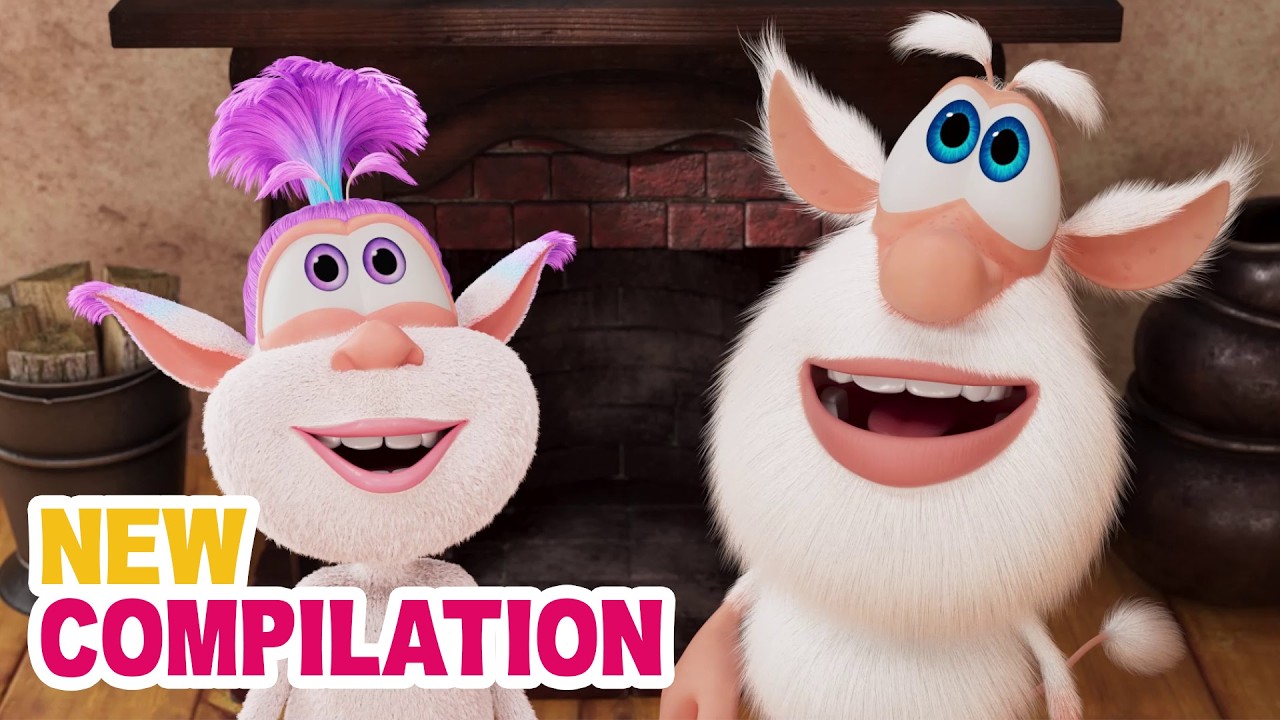
The world of Booba is not just about one curious little creature—it is filled with colorful, funny, and memorable characters that make every episode exciting. Each character in the Booba cartoon series has a unique personality, role, and lesson to offer children. Together, they create a playful universe that keeps kids entertained while subtly teaching important values. In this detailed guide, we explain all major Booba characters, including Loola, Spike, Mr. Beak, and more, and explore why kids love them so much. Why Booba Characters Matter: Booba episodes rely heavily on visual storytelling, expressions, and character interactions. Since there is no spoken dialogue, each character’s body language, emotions, and behavior play a major role in storytelling. These characters help children learn: Social interaction Emotional understanding Friendship and cooperation Problem-solving through observation 1. Booba – The Curious Explorer: Booba is the heart of the series. He is a small, fluffy, white creature with big blue eyes and endless curiosity. Booba loves exploring everyday environments like kitchens, bedrooms, and gardens, turning simple objects into fun adventures. Personality Traits Curious and adventurous Playful and energetic Innocent and kind-hearted Determined and brave What Kids Learn from Booba Curiosity leads to learning Mistakes are okay Trying again is important Imagination makes life fun Booba’s exaggerated reactions and expressive face make him instantly lovable for young children. 2. Loola – The Energetic Companion: Loola is one of the most cheerful characters in the Booba universe. She is energetic, playful, and often seen dancing or jumping around with excitement. Loola brings movement, rhythm, and joy into many episodes. Personality Traits Energetic and lively Friendly and playful Confident and expressive Role in Episodes Loola often joins adventures and adds excitement to scenes. Her movements and enthusiasm encourage kids to stay active and expressive. Lesson for Kids Expressing happiness is healthy Physical activity is fun Sharing joy strengthens friendships 3. Spike – The Mischievous Hedgehog: Spike is the troublemaker of the group. As a small hedgehog, he loves creating playful chaos, surprising others, and testing boundaries. While Spike can be mischievous, he is never truly mean. Personality Traits Mischievous and playful Curious but careless Funny and unpredictable Role in Episodes Spike’s actions often create funny problems that Booba and others must solve. Lesson for Kids Actions have consequences Mischief should not harm others Mistakes can be fixed Spike teaches children about responsibility through humor. 4. Mr. Beak – The Clever Observer: Mr. Beak is a smart and calm parrot who usually watches events from a distance. He appears thoughtful and sometimes helps guide situations without directly interfering. Personality Traits Intelligent and observant Calm and patient Helpful and wise Role in Episodes Mr. Beak often notices things others miss. He sometimes reacts subtly, encouraging kids to observe carefully. Lesson for Kids Observation is important Thinking before acting helps Calm behavior solves problems 5. Googa – The Inventor: Googa is the creative genius of the group. He loves tools, machines, and experiments. His curiosity focuses more on how things work rather than just playing with them. Personality Traits Intelligent and creative Curious and focused Innovative and logical Role in Episodes Googa introduces gadgets, inventions, and mechanical fun that adds educational value. Lesson for Kids Creativity and logic go together Building and experimenting are valuable skills Learning how things work is exciting How These Characters Help Child Development: Each Booba character contributes to a child’s development in a unique way: Character Skill Encouraged Booba Curiosity & resilience Loola Confidence & expression Spike Responsibility & awareness Mr. Beak Observation & patience Googa Creativity & problem-solving Together, they create a balanced learning environment for kids. Why Kids Love Booba Characters: Children connect with these characters because: They are visually expressive Their personalities are easy to understand Situations are relatable There is no language barrier This makes Booba a globally loved kids’ cartoon. Why Parents Trust Booba Characters: Parents appreciate Booba because: No violence or bad language Positive behavior modeling Encourages creativity and thinking Safe for preschoolers Each character reinforces healthy emotional and social development. Final Thoughts: The Booba cartoon series is successful not only because of its humor but because of its well-designed characters. Loola brings energy, Spike adds playful chaos, Mr. Beak offers wisdom, and Googa fuels curiosity. Together with Booba, they create a world that is fun, educational, and emotionally safe for children. Understanding these characters helps parents appreciate why Booba is more than just entertainment—it is a powerful learning experience wrapped in laughter.
Top 10 Funniest Booba Episodes of All Time
Booba, the adorable, curious, and mischievous cartoon creature, has captured the hearts of children around the world. Known for his expressive antics, playful adventures, and endless curiosity, Booba has become a favorite among preschoolers and young kids. If you’re a parent or a fan wondering which episodes are the most hilarious, we’ve compiled the Top 10 Funniest Booba Episodes of All Time. These episodes are guaranteed to make kids laugh, stay entertained, and even learn something new along the way. 1. Booba’s Big Balloon Adventure: In this episode, Booba discovers a colorful balloon that floats away whenever he tries to grab it. His hilarious attempts to catch the balloon include climbing chairs, bouncing on cushions, and even trying to use kitchen utensils as tools. The episode teaches kids about problem-solving while keeping the laughs coming. Why it’s funny: Booba’s exaggerated expressions, clumsy movements, and endless determination make this a comedy classic. 2. Booba and the Magical Kitchen: Booba sneaks into a kitchen full of gadgets, appliances, and ingredients. Chaos ensues as he tries to cook or taste everything he finds. From mixing flour in the air to accidentally turning on the blender, every moment is a source of laughter. Why it’s funny: The combination of everyday objects becoming unpredictable and Booba’s reactions creates endless humor. 3. Booba’s Bubble Trouble: In this episode, Booba discovers soap bubbles and is immediately fascinated. The playful bubbles float everywhere, causing Booba to chase, pop, and occasionally fall into funny situations. Why it’s funny: The episode uses visual comedy, with Booba slipping, sliding, and interacting with the bubbles in unexpected ways. 4. Booba at the Toy Store: Booba visits a toy store and becomes overwhelmed by the variety of toys. He climbs shelves, tries ride-on toys, and even causes a playful toy avalanche. This episode is packed with physical comedy and imaginative play. Why it’s funny: Booba’s curiosity leads to chaotic situations that kids find relatable and entertaining. 5. Booba and the Music Box: Booba finds a music box that plays different tunes when opened. He experiments with dancing, creating new sounds, and trying to imitate the music. His goofy dance moves and offbeat timing create endless giggles. Why it’s funny: Booba’s funny dancing, coupled with unexpected music, engages both children and parents alike. 6. Booba and the Flying Carpet: In this fantasy-inspired episode, Booba discovers a magic carpet. His attempts to fly it lead to funny crashes, dizzy spins, and comical landings. Children enjoy watching him navigate this new adventure while laughing at his clumsy but determined efforts. Why it’s funny: Visual humor, magical elements, and Booba’s expressive reactions make it highly entertaining. 7. Booba and the Giant Cake: Booba encounters a huge cake and can’t resist trying to taste it. He climbs, jumps, and slides across the cake, eventually creating a mess but having the time of his life. Why it’s funny: Booba’s obsession with food and the resulting chaos is relatable and hilarious for young viewers. 8. Booba in the Bathroom: Booba explores the bathroom, experimenting with water, soap, and the toilet. His curious antics lead to slippery floors, water splashes, and funny reactions. Why it’s funny: The episode uses slapstick humor and everyday scenarios that children easily relate to. 9. Booba and the Vacuum Cleaner: Booba discovers a vacuum cleaner and treats it as a giant robot. He runs, hides, and even tries to “tame” it, leading to a series of comical events. Why it’s funny: Booba’s fearless approach and exaggerated movements turn a simple household appliance into a source of endless laughter. 10. Booba’s Christmas Surprise: In this holiday special, Booba gets into festive mischief with Christmas decorations, presents, and a giant tree. His excitement leads to ornaments falling, lights flickering, and playful chaos. Why it’s funny: The combination of holiday cheer, Booba’s curiosity, and visual comedy makes this episode memorable and funny. Why Booba Episodes Are So Entertaining: Booba’s humor is universal. The show doesn’t rely on spoken language, which allows children of all ages and languages to enjoy it. Key factors that make Booba episodes funny include: Physical Comedy: Booba’s exaggerated movements, clumsy reactions, and playful antics appeal to young kids. Relatable Situations: Everyday objects and environments become hilarious adventures. Curiosity Gone Wild: Booba’s endless curiosity leads to funny chaos, which keeps kids laughing. Bright, Colorful Animation: Visual appeal adds to the entertainment factor. Parents also appreciate that the show is safe, educational, and encourages creativity, making Booba a favorite in homes worldwide. Educational Benefits of Funny Booba Episodes: Even though Booba’s episodes are primarily humorous, they also provide learning opportunities: Problem-Solving Skills: Kids learn through observation as Booba experiments with objects. Imagination and Creativity: Everyday items are transformed into fun adventures. Social Skills: Interaction with other characters teaches sharing, teamwork, and empathy. Emotional Understanding: Booba’s reactions help children identify emotions like surprise, joy, and curiosity. Where to Watch Booba Episodes: Parents can watch Booba episodes on multiple platforms: YouTube: Free access to all episodes. Netflix & Amazon Prime: Some seasons available for streaming. Official Booba App: Region-dependent availability. This makes it easy to enjoy Booba anytime, anywhere. Final Thoughts: Booba’s funniest episodes are more than just a source of laughter—they combine humor, curiosity, and learning into a single entertaining package. From playful balloon adventures to magical flying carpets, Booba brings joy to children worldwide. Parents can rest assured that Booba is a safe, educational, and engaging option for kids’ digital entertainment. Whether you’re looking for short, laugh-out-loud episodes or educational fun, these Top 10 Funniest Booba Episodes are the ultimate guide for parents and kids alike.